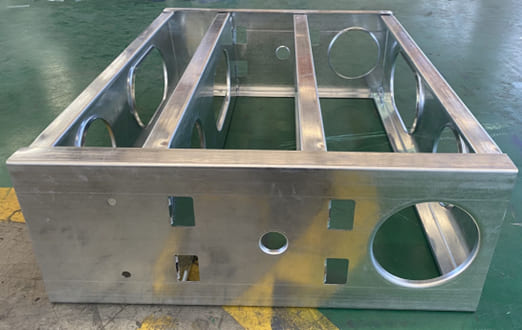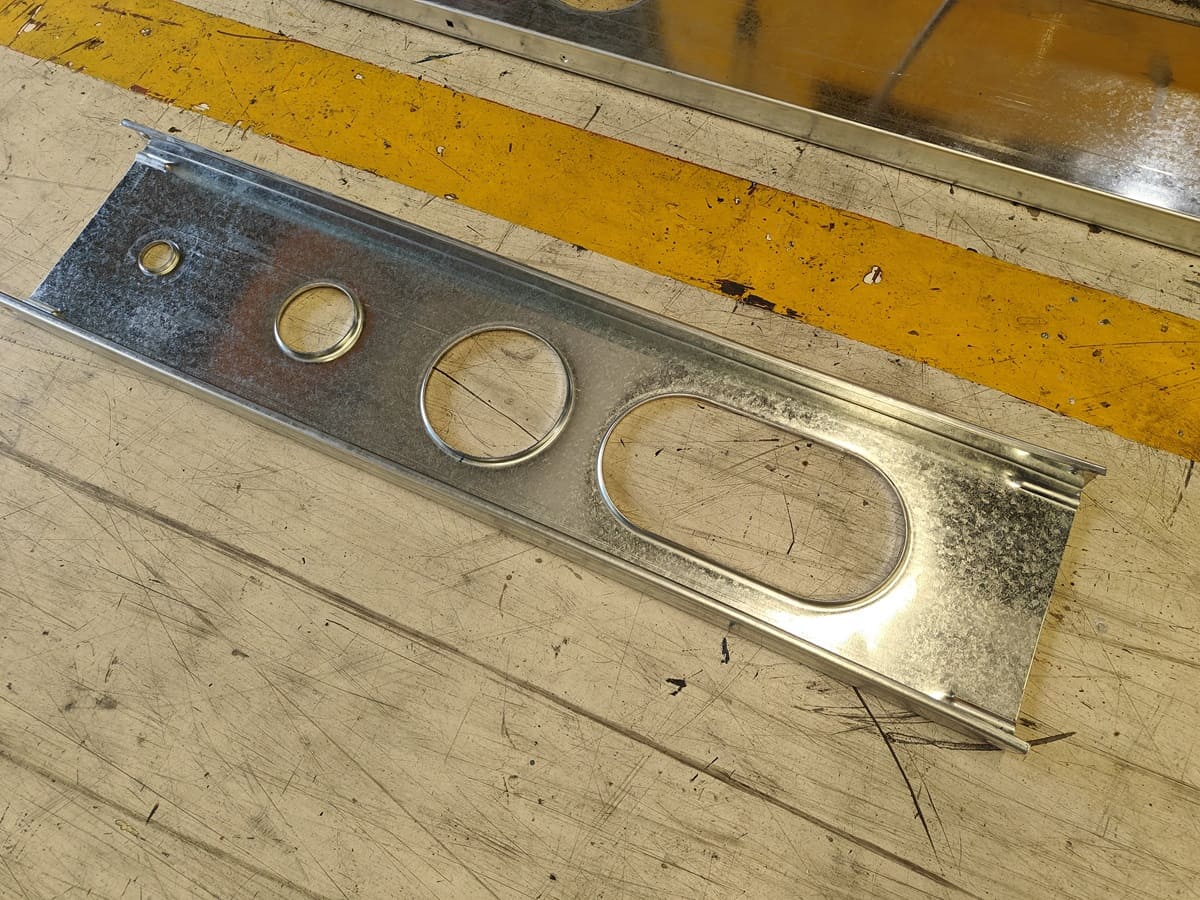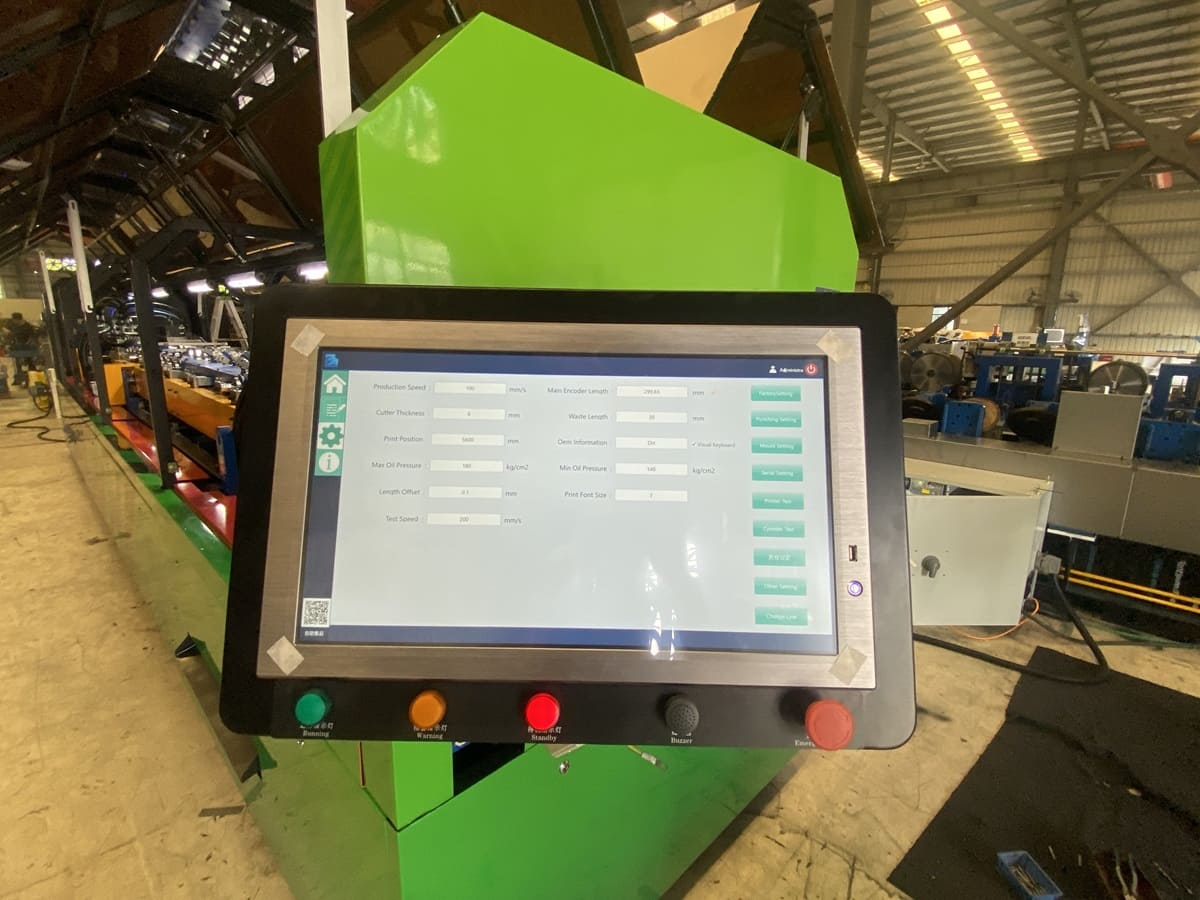
Modern light gauge steel construction increasingly depends on the connection between digital building design and automated manufacturing.
For steel framing manufacturers, a light steel frame machine is no longer simply an independent roll forming unit. It operates as part of a production workflow involving structural design, framing detailing, CNC data generation, material processing, and component assembly.
Software platforms such as Vertex BD can help manufacturers generate framing layouts, panel drawings, cutting lists, and production information from digital building models.
However, successful communication between design software and a CNC light gauge steel framing machine requires compatible manufacturing data, correctly configured tooling, and a validated machine interface.
This guide explains how LGS machines work with Vertex BD and other steel framing design software, how design data is converted into manufacturing instructions, and what buyers should verify before investing in a digitally connected steel framing production line.
What Is LGS Machine Design Software?
LGS machine design software refers to software used to prepare steel framing layouts, production information, and manufacturing data for cold-formed steel construction.
Different software products may provide architectural modeling, structural framing, engineering analysis, material calculations, fabrication drawings, or CNC manufacturing exports.
These functions are related, but they are not identical.
A building design program may generate accurate drawings without necessarily producing machine-ready manufacturing data.
Similarly, a machine control system may manufacture steel sections but may not independently provide complete structural engineering design.
A modern light steel framing production system therefore usually involves several connected functions.
| Production Function | Main Purpose |
|---|---|
| Building design | Define the building geometry and layouts |
| Structural engineering | Determine approved member sizes and structural requirements |
| Framing detailing | Create individual framing components and connections |
| CNC data generation | Convert production information into machine instructions |
| Machine control | Interpret instructions and operate the equipment |
| Quality inspection | Confirm finished components match the approved design |
Understanding these functions is essential when comparing CNC steel framing machines and design software options.
What Is Vertex BD?
Vertex BD is a building design and manufacturing software platform used for timber and cold-formed steel framing applications.
Its capabilities include building modeling, framing generation, detailed drawings, material reports, cut lists, and manufacturing data preparation.
Vertex BD can support production workflows involving:
- Residential wall framing
- Roof truss manufacturing
- Floor framing systems
- Panelized construction
- Modular building components
- Prefabricated housing
The software also offers manufacturing interfaces for compatible production equipment.
According to the Vertex BD manufacturing information, manufacturing data can be exported to supported roll forming machines and other production systems through its CNC Manufacturing Interface.
However, individual machine compatibility depends on the licensed interface, equipment configuration, export format, and any required customization.
How Does a CNC Light Steel Frame Machine Work with Design Software?
A typical LGS machine CAD-to-CNC workflow consists of six stages.
Step 1: Create the Digital Building Model
The production process begins with an approved building design.
The model may contain wall layouts, floor framing, roof trusses, openings, member locations, and connection details.
A light steel framing manufacturer must ensure that the framing members reflect the intended structural requirements.
Digital modeling helps organize these details before physical manufacturing begins.
Step 2: Generate Steel Framing Components
The design software develops framing layouts and individual manufacturing components.
For example, a wall panel may include:
- C-shaped wall studs
- U-shaped tracks
- Members around door and window openings
- Bracing-related components
- Connection details
- Required service openings
Each component must have the correct geometry and production information.
A steel framing design software system can help organize these components into a coordinated manufacturing package.
Step 3: Prepare Fabrication Drawings and Production Data
Once the framing details are finalized, the software can generate manufacturing information.
This may include member identification, length, section type, material thickness, punching locations, and cutting requirements.
Manufacturers should verify that the information corresponds to the approved engineering drawings.
The output is then prepared for the manufacturing equipment.
Step 4: Generate CNC Files
The next stage is converting the production information into a format accepted by the CNC steel framing machine.
Depending on the equipment and software setup, manufacturing data may be delivered through a machine-specific CNC file, CSV-based workflow, or another supported interface.
A CSV file is a structured data format. It does not automatically mean that every CSV file can be used by every steel framing machine.
The field definitions, data order, units, operation codes, and tooling references must match the machine controller.
Vertex BD also requires the appropriate manufacturing interface and configuration to generate supported equipment output.
Step 5: Import Data into the LGS Machine Control System
The manufacturing data is transferred to the machine control system.
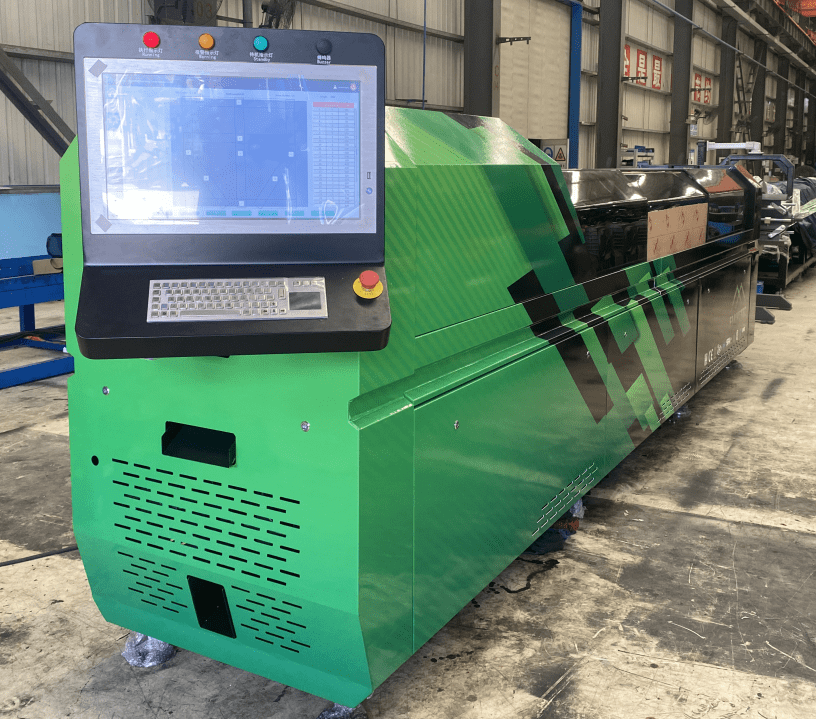
The controller interprets the instructions and coordinates operations such as material feeding, punching, notching, profile forming, and cutting.
For a multi profile LGS machine, additional settings may define the supported profile size and other relevant production parameters.
Operators should review the machine settings and confirm that the required tools are installed.
Step 6: Manufacture and Inspect the Steel Components
The machine produces the framing members according to the approved production instructions.
Finished profiles should be inspected for:
- Overall length
- Web and flange dimensions
- Material thickness
- Hole and notch positions
- Cutting quality
- Component identification
- Compatibility with the assembly drawing
The first completed component should be checked before full production begins.
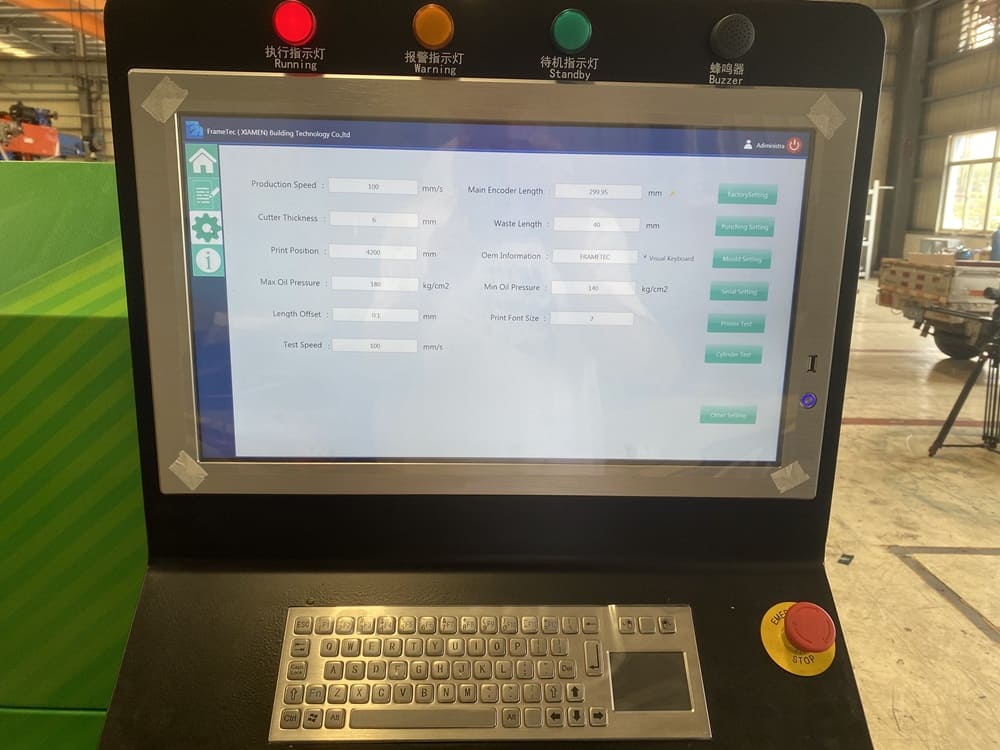
How Frametec LGS Machines Support Digital Production
Frametec offers several CNC-controlled light steel framing machines with published design software and machine control information.
For example, the SFS-CC75-160 multi profile steel frame machine lists Frametec’s LGR1 machine control software, a Windows-based control environment, and references to Vertex BD, Framebuilder MRD, and Strucsoft.
The product information also describes the ability to accept CSV production data from compatible design software workflows.
Similarly, the SFS-CU140-305 wall and floor joist machine includes the Frametec LGR1 production control system and published software references.
For a larger floor framing application, the SFS-CU200-350 floor joist machine also lists CNC production control and design software options.
These published specifications indicate the intended digital production capabilities of the machines.
Before purchasing, buyers should confirm the exact interface supported by the ordered machine and their software version.
Does Vertex BD Connect Directly to Every LGS Machine?
No. Compatibility should not be assumed solely because both the software and machine support CNC manufacturing.
Vertex BD supports manufacturing exports for compatible equipment, but the interface may require a dedicated software module, specific equipment settings, or customization.
The software provider identifies a CNC Manufacturing Interface add-on for exporting framing data to production equipment.
For manufacturers planning to use Vertex BD with a Frametec machine, the following points should be verified:
- Vertex BD version and license configuration
- Availability of the required manufacturing interface
- Supported CNC export format
- Compatibility with the selected Frametec controller
- Section library and profile definitions
- Mapping of service holes, web notches, and other punching operations
- Material thickness and steel grade settings
- Export procedures for wall, floor, and roof components
- Validation of sample production files
The safest approach is to test representative manufacturing files before committing to a complete production workflow.
Understanding CSV Files in Light Steel Framing Production
A CSV production file for an LGS machine contains structured manufacturing data organized according to a defined format.
Depending on the control system, the required information may include member identifiers, profile specifications, lengths, punching instructions, and operation positions.
However, different machine controllers may require different column structures and command definitions.
For example, one controller may use a particular operation code for a service hole, while another controller uses a different code or data structure.
Therefore, exporting a CSV file from design software does not guarantee that a steel frame roll forming machine can process it immediately.
The file must follow the receiving controller’s required format.
Why Punching Tool Mapping Is Important
One of the most important parts of CAD-to-CNC integration is the relationship between digital manufacturing instructions and physical tooling.
Consider a wall framing member requiring a service hole and a web notch.
The design software must identify the required operations and their positions.
The CNC output must communicate these instructions in a format understood by the machine controller.
The controller must then activate the correct punching tools at the correct locations.
If the design file references an operation that the machine does not support, the manufacturing process may stop or produce an incorrect component.
This is why equipment compatibility must include actual punching functions, not only profile dimensions.
Manufacturers can review common tooling requirements in Frametec’s LGS machine product information before configuring their software workflow.
How Digital Production Improves Prefab House Manufacturing
For a prefab house manufacturer, a coordinated CNC steel framing workflow can reduce the manual transfer of information between designers and machine operators.
For example, a factory producing several similar residential units may need hundreds of individual studs, tracks, and roof framing members.
When the design and manufacturing information are properly connected, the production team can organize components according to their panels and assembly sequence.
Potential benefits include improved component identification, reduced manual data entry, and more repeatable production.
These benefits depend on accurate design data, compatible equipment, and effective quality control.
Digital automation cannot correct an incorrect structural design or unsuitable machine configuration on its own.
Common CNC Integration Problems and How to Avoid Them
Problem 1: Incorrect Units
A design file may use different measurement units from those expected by the machine controller.
This can create major dimensional errors.
The operator should confirm that all exported data uses the correct units before production.
Problem 2: Unsupported Punching Functions
The CNC file may request a hole, notch, or connection feature that the selected machine cannot manufacture.
The tooling configuration should be reviewed against the required production operations.
Problem 3: Incorrect Profile Mapping
The design software may identify a section that does not correspond to the profile installed on the forming machine.
Profile naming, web width, flange dimensions, material thickness, and section geometry should be checked carefully.
Problem 4: Outdated Manufacturing Files
A building design may be revised after the production file has already been exported.
Manufacturers should use revision control procedures to avoid producing components from outdated instructions.
Problem 5: Incorrect Material Settings
A CNC file may specify a steel thickness or section that exceeds the machine’s supported manufacturing range.
The material and machine configuration must be checked before production begins.
Problem 6: Missing Component Identification
Without a consistent identification system, correctly manufactured framing members may still be difficult to sort and assemble.
Part labels and production records should be coordinated with the factory’s assembly workflow.
How to Verify Software Compatibility Before Buying an LGS Machine
A useful compatibility test should use an actual project rather than a generic demonstration file.
For example, a buyer could provide a representative wall panel design containing several framing members, service holes, and connection details.
The test should confirm that:
- The design software generates the required production data.
- The selected machine controller imports the file correctly.
- Profile dimensions and tooling operations are interpreted correctly.
- The machine manufactures the intended components.
- Finished members match the approved drawings.
If the manufacturer plans to produce floor joists or roof trusses, representative files for those applications should also be tested.
This process provides stronger evidence of compatibility than relying only on a software name in a machine specification.
Frequently Asked Questions
1. Can Frametec LGS machines work with Vertex BD software?
Frametec lists Vertex BD among the design software options associated with several of its light steel framing machines.
However, the exact manufacturing connection depends on the machine model, controller configuration, and available Vertex BD CNC export interface. Buyers should confirm compatibility for their specific software version and request a practical file export and production test before purchasing.
2. What is the difference between Vertex BD and an LGS machine control system?
Vertex BD is a building design and manufacturing software platform used to prepare framing information and production data.
An LGS machine control system operates the physical manufacturing equipment by interpreting supported production instructions. The two systems perform different functions. A compatible manufacturing interface is required to translate the design information into instructions the machine controller can execute.
3. Can an LGS machine import CAD drawings directly?
Not every CNC light steel framing machine can import ordinary CAD drawings directly.
Files such as DWG and DXF typically contain design geometry, while CNC manufacturing requires specific production instructions. A compatible software workflow must convert the design into machine-readable data that includes member dimensions, tooling operations, and manufacturing information.
4. What is a CSV file used for in light steel framing production?
A CSV file can be used to transfer structured production information between software and a machine controller.
The data may include profile details, member lengths, punching positions, and other manufacturing instructions. However, the file structure must match the controller’s required format. A CSV file produced by one software system is not automatically compatible with every light gauge steel framing machine.
5. Does Vertex BD require a separate CNC manufacturing license?
Vertex BD offers a CNC Manufacturing Interface add-on for sending framing data to compatible production equipment.
The exact licensing requirements depend on the software package and intended manufacturing interface. Buyers should verify current licensing terms directly with the software provider and confirm that their machine-specific export requirements are supported.
6. Can one design software system control multiple light steel frame machines?
A design software environment may generate manufacturing data for multiple compatible machines, but each machine may require a different export configuration.
For example, a residential wall framing machine and a larger floor joist machine may use different section libraries, tool definitions, and controller formats. Each production interface should be configured and tested separately.
7. Can Vertex BD generate data for wall frames, floor joists, and roof trusses?
Vertex BD includes design and framing capabilities for walls, floors, and roof systems.
Its manufacturing workflow can generate production information for compatible equipment, depending on the software modules and export configuration. However, the ability to model a component does not automatically mean that every connected roll forming machine can manufacture it. Equipment limitations must still be considered.
8. Why does an LGS machine need CNC production software?
CNC production software helps coordinate the manufacturing operations required to produce framing members accurately.
The controller uses supported production instructions to manage material movement, punching, forming, and cutting. Without properly prepared CNC data, factories may need additional manual input and checking, increasing the risk of inconsistent production.
9. What should I do if a production file cannot be imported into the LGS machine?
First, confirm that the file format matches the controller requirements.
Next, check units, profile definitions, unsupported operations, missing data fields, and software versions. The operator should also confirm whether the correct export configuration was selected. If the problem continues, the design software provider and machine supplier may need to review the file mapping together.
10. Does software integration improve light steel framing accuracy?
Proper integration can reduce manual data entry and help transfer approved manufacturing dimensions more consistently.
However, finished profile accuracy also depends on machine calibration, material properties, tooling condition, feed control, and quality inspection. Software compatibility should therefore be considered one part of the total manufacturing quality system rather than a guarantee of dimensional accuracy.
11. Is Vertex BD suitable for a small light steel framing factory?
Vertex BD can be relevant to businesses that need organized building design, framing detailing, and manufacturing information.
Whether it is appropriate for a small factory depends on the company’s design responsibilities, project complexity, software budget, technical staff, and equipment requirements. Buyers should compare the available software packages and ensure that the selected package supports the required production workflow.
12. What should buyers ask before purchasing a CNC light gauge steel framing machine?
Buyers should ask which design software versions are supported, what file formats the controller accepts, whether a dedicated post-processor is required, and which punching operations can be exported.
They should also confirm training arrangements, software update responsibilities, machine control support, and the process for validating production files. A real project demonstration is strongly recommended.
The connection between LGS machines, Vertex BD, and CNC design software is an important part of modern light gauge steel framing manufacturing.
A well-configured workflow can connect building design, framing detailing, production data preparation, machine operation, and component inspection.
For manufacturers producing prefab houses, modular buildings, steel villas, and engineered floor systems, the most important consideration is not simply whether a software name appears in the machine brochure.
It is whether the complete design-to-manufacturing process works reliably with the intended profiles, punching tools, and production requirements.
Explore Frametec’s light steel frame machine range to compare CNC-controlled equipment for residential, modular, and structural framing applications.
Planning to connect your existing design software to a steel framing machine? Contact Frametec with your software version, sample production files, profile drawings, and manufacturing requirements to evaluate a suitable CNC production workflow.